✦YOUR OWN MUSIC✦PIXEL PLAYERS✦MULTIPLE SOURCES✦ENGLISH & CHINESE
01 / MUSIC, MADE PERSONAL
A little home for your whole collection.
From your first favorite to a personal library. Bring the music. PixMusic brings it together.
BRING YOUR MUSIC
Your music. Your sources.
Connect your NAS or personal music server. Or transfer audio to your iPhone over Wi-Fi. Keep your collection close.
NAS / NETWORK STORAGEWebDAV / SMB / FTP
PERSONAL MUSIC SERVERSNavidrome / Subsonic
WIRELESS TRANSFERWi-Fi
PIX / 001
KEEP IT CLOSE
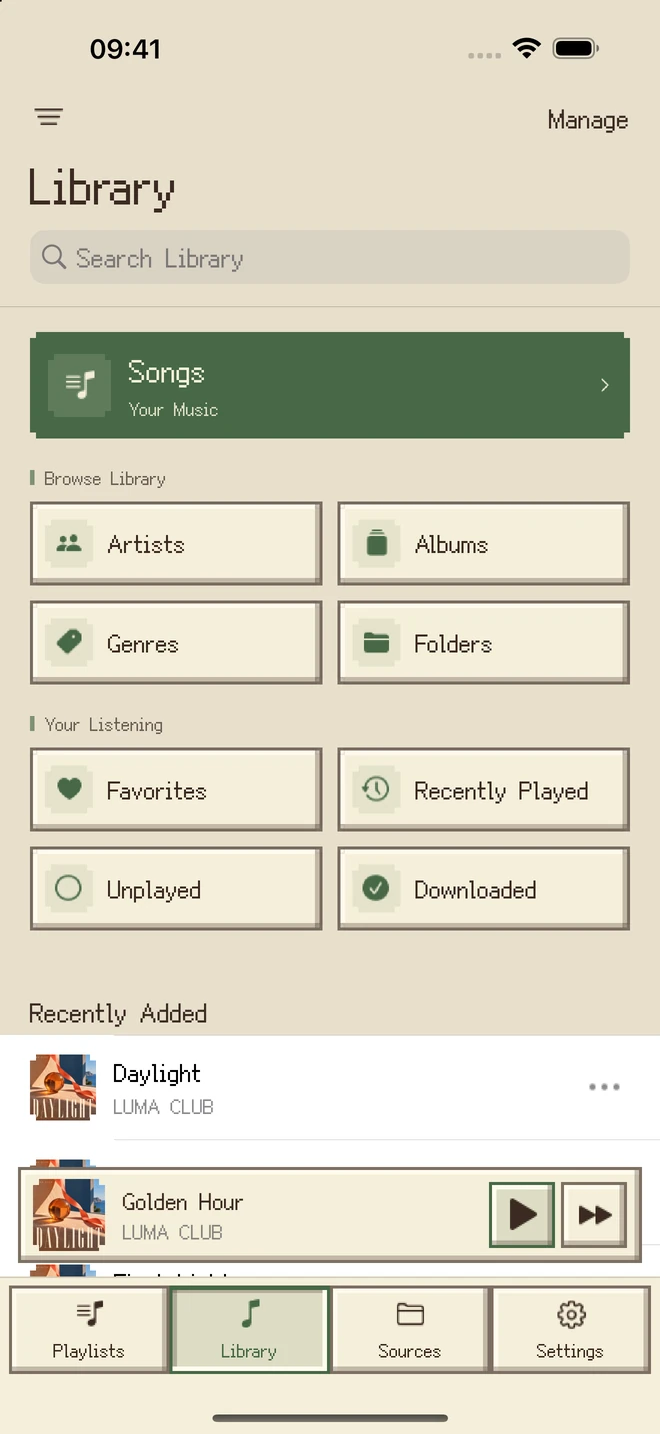
Less searching. More listening.
Browse by song, artist, album or folder. Save your favorites and revisit recently played tracks. A place for the music you love.
PIX / 002
ENJOY THE LITTLE THINGS
Small details. Better listening.
Lyrics, queue, equalizer and sleep timer, right where you need them. Plus a little pixel cat chasing your progress.
LYRICSEQUALIZERSLEEP TIMERPIXEL PROGRESS
♪
02 / FIND YOUR PIXEL
A player for every mood.
Three pixel designs. One familiar player. Pick your favorite below. In the app, explore the original interface, themes, icons and artwork treatments too.
PIX / POCKET
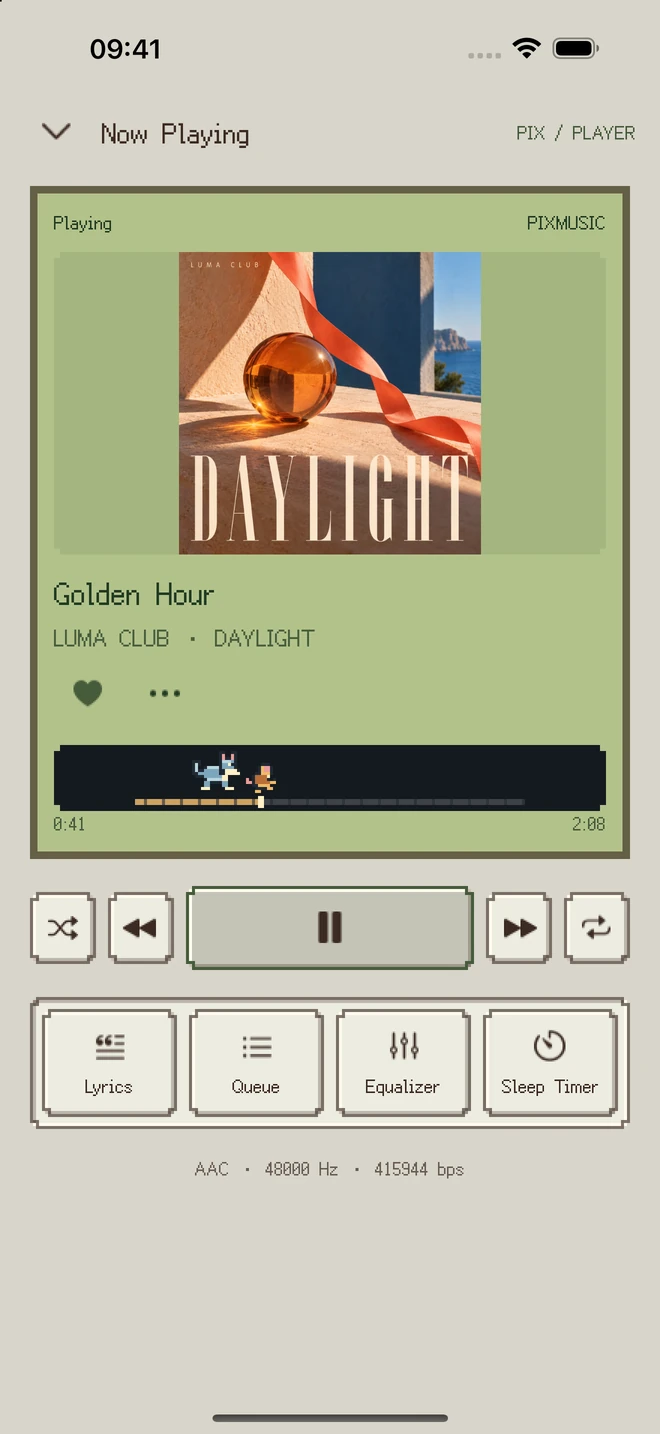
Pocket terminal
A little retro. Ready to go.
An olive LCD, crisp buttons, and just enough playfulness. Put your favorite playlist in your pocket and take the day at your own pace.
Real app captures · Demo tracks and artwork shown for illustration
PIX / COTTAGE
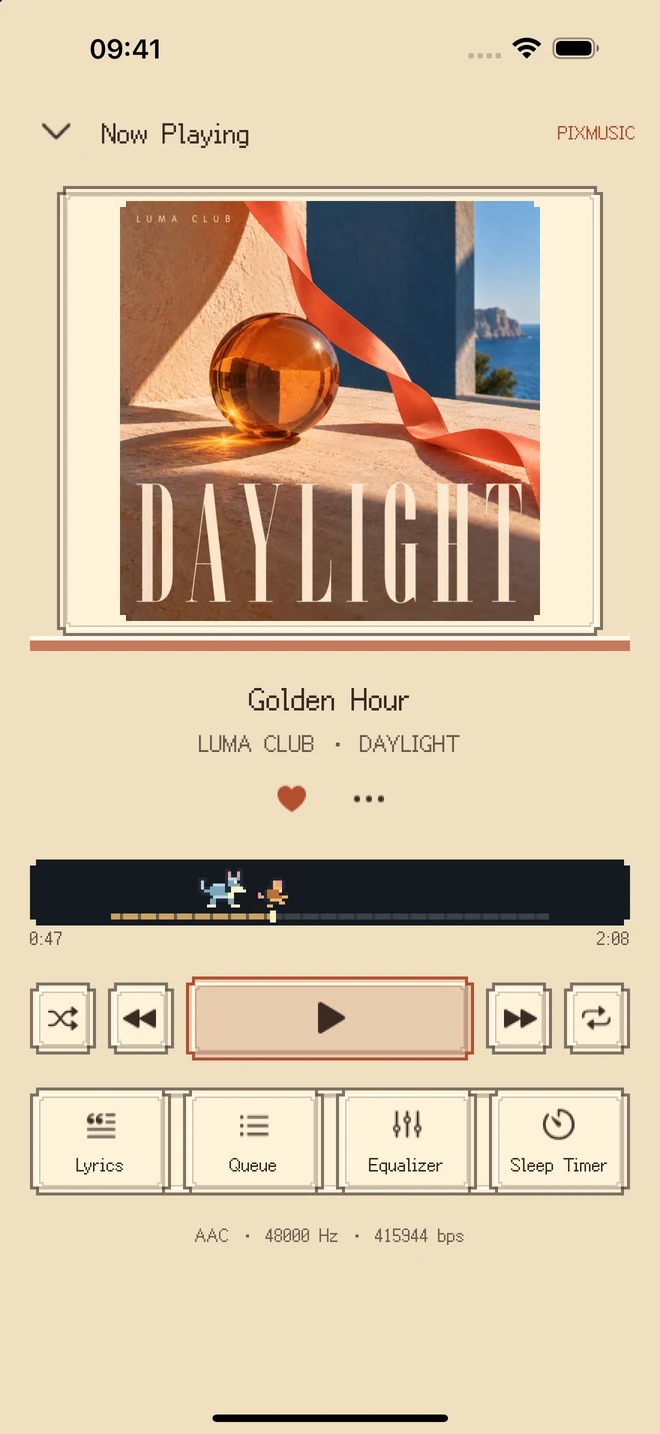
Record cottage
A little time, just for you.
Warm paper colors, framed artwork, and fine pixel borders. Settle into your own little listening room and stay for a whole album.
Real app captures · Demo tracks and artwork shown for illustration
PIX / BLOCK
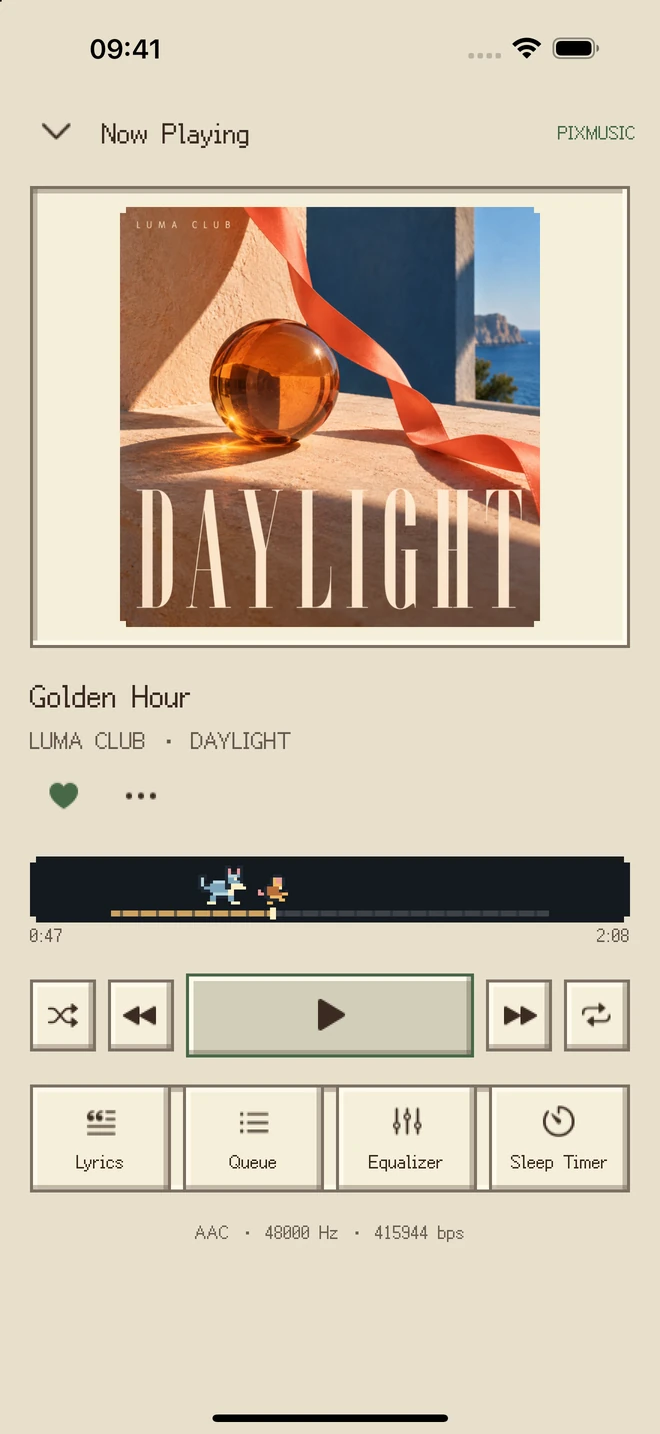
Block jukebox
Press play. Brighten the day.
Bold blocks build a little jukebox. Playful, direct, and ready to give your favorite songs the attention they deserve.
Real app captures · Demo tracks and artwork shown for illustration
PRO
PIXMUSIC PRO
A little more freedom.
One purchase. Lifetime Pro. For bigger collections, more music sources, and the finer details of listening.
See the app for Pro features and purchase details.
PixMusic plays audio you provide and music sources you connect. It does not include a song catalog or music licensing service. Please use music you have the right to access.
Which music sources can I connect?+
WebDAV, SMB, FTP, Navidrome and Subsonic are supported, along with Wi-Fi transfer. Network sources require your own server or account.
Can I listen offline?+
Audio imported to your iPhone or fully downloaded can play offline. Remote tracks need an internet connection until they are downloaded.
Which devices are supported?+
PixMusic is made for iPhone and requires iOS 17 or later. The interface supports English and Simplified Chinese.
What is the difference between free and Pro?+
The free version supports one music source, up to two playlists and pixel appearance options. A one-time Pro purchase unlocks multiple sources, unlimited playlists, more audio formats and other features. See the app for details.
YOUR NEXT FAVORITE PLAYER
Good music. A few more pixels.
PixMusic · Made for your personal music library on iPhone. A public download link will appear here when available.